
Choose a case for your video switcher by matching the interior to the equipment and accessories you plan to carry. The right case should protect your gear in storage and transit while keeping setup practical. Start by listing what needs to fit, then compare the layout, protection, and access.
A case that fits the switcher alone may not work for a setup with a power supply, cables, or other accessories. A compact kit may also need a different layout from a system that stays assembled between uses. These differences determine what to look for.
Assess fit, interior organization, construction, and handling to narrow down case options for your equipment and working conditions. This helps you choose a solution that suits your production workflow without adding unnecessary space or making equipment harder to access.
Key Takeaways
- Measure the switcher and the equipment you plan to store with it before comparing case dimensions.
- Choose an interior layout that keeps essential components organized and accessible during setup.
- Consider how the case will be handled, stored, and moved as part of your production workflow.
- Compare case options by fit, interior organization, and intended use.
Case for Blackmagic ATEM Mini Extreme
Start with the equipment that must fit, not the case’s exterior appearance. Measure the switcher’s length, width, and height, then note the dimensions of its power supply and cables. Compare them with the usable interior space rather than the outside shell. A case can look large enough but still lack clearance around connectors or controls. For instance, a connected power cable may extend beyond the switcher’s footprint, so include it when planning the layout.
Decide whether the switcher will travel alone or as part of a working kit. A compact case may suit the unit by itself, while a larger interior may be useful if you also want to carry a power supply, HDMI cables, and adapters. List each item before choosing foam or dividers. This prevents accessory storage from crowding the switcher or pressing cables against its controls. It also clarifies whether fixed compartments or an adaptable interior better suit your kit.
Consider access during setup. Note where each cable connects and make sure the layout leaves those points clear. If the switcher stays inside the case during operation, check that controls remain reachable and cables can run without sharp bends. If you remove it before use, prioritize secure storage and easy removal. A close-fitting cutout can hold the unit in place, while a separate compartment can keep loose adapters from shifting against it.
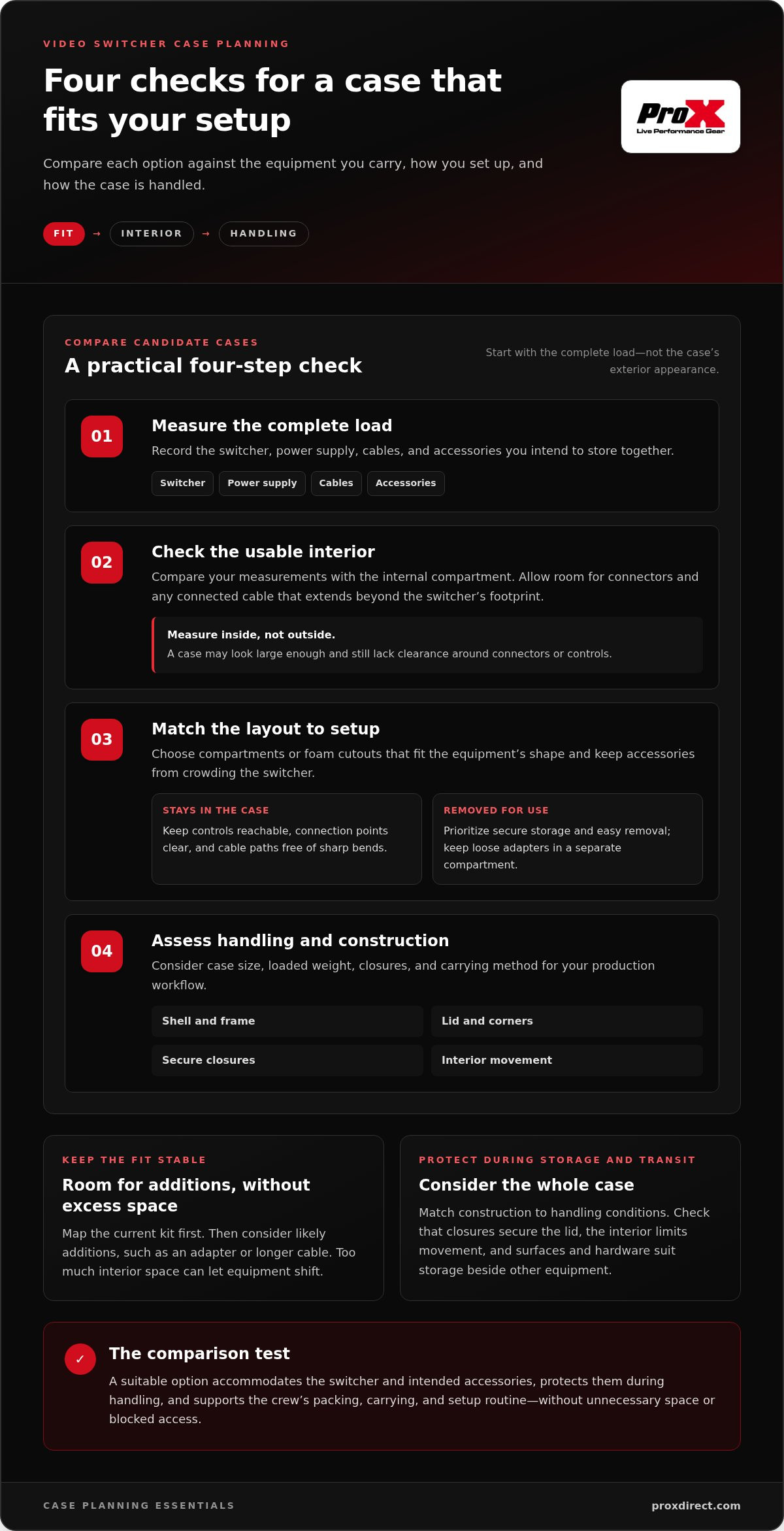
Use these steps to compare candidate cases:
- Measure the complete load. Record the switcher, power supply, cables, and accessories you intend to store together.
- Check the usable interior. Compare your measurements with the internal compartment and account for connector clearance.
- Review the layout. Match compartments or foam cutouts to the equipment’s shape and your setup routine.
- Consider handling. Assess the case’s size, loaded weight, closures, and carrying method for your production workflow.
Match the construction to how the case will be handled. A case for controlled storage has different demands from one repeatedly loaded with production gear. Consider the shell, frame, lid, corners, and closures together. The closures should secure the lid, and the interior should limit movement around the switcher. If the case travels with other equipment, consider how its surfaces and hardware may contact neighboring cases. These details help distinguish a case designed for a specific setup from a general container with excess room.
Plan for possible changes without assuming every accessory belongs in the same compartment. If your signal chain later includes an adapter or longer cable, dedicated storage can help keep the kit organized. Too much interior space, however, can let equipment shift. Map your current kit first, then identify likely additions to balance room for expansion with a stable fit. A sketch of the switcher, connector clearance, and accessory positions can make case comparisons easier.
Finally, compare each option against your equipment list and operating routine. A portable control setup may prioritize compact storage and quick access; a larger production kit may need dedicated accessory organization. Browse protective case options with those requirements in mind. Choose a case whose interior accommodates the switcher and intended accessories, whose construction suits its handling conditions, and whose layout supports how your crew packs, carries, and deploys the equipment.
ProX: Santosom Cases
ProX offers Santosom Cases for production teams comparing protective case options for a compact video switcher setup. Use your equipment measurements and item list to assess whether a case format suits the ATEM Mini Extreme and the accessories you plan to store with it. Fit and intended use are key: the switcher, connected cables, and separate accessories all affect the interior layout.
For a broader production setup, ProX also offers TruckPaX™ Truck Pack Cases, Utility/Storage Cases, and Workstations. These categories serve different equipment and workflow needs, so select according to what your setup must contain and how it is used. Explore ProX protective cases to compare available options.
Make the Case Choice Part of Your Production Plan
Before choosing a case for the Blackmagic ATEM Mini Extreme, consider how the switcher fits into your production workflow. A case affects how the kit is stored, grouped with other gear, and brought into the working setup. Choose one that suits the full package you plan to manage, not just the device alone.
ProX offers Santosom Cases, TruckPaX™ Truck Pack Cases, and Utility/Storage Cases for different equipment and storage needs. The right category depends on the gear you are organizing and how you use it. Use your planned setup to guide your choice, including what needs to travel or be stored alongside the switcher.
When you’re ready to take the next step, contact ProX about a case. A clear equipment list and intended use give you a practical starting point for choosing a solution that supports your production work.
Disclaimer
Any trademarks, trade names or brand names appearing herein that do not belong to ProX are the property of their respective owners and/or companies, and such appearance doesn't and shall not constitute or imply endorsement, sponsorship or recommendation by ProX.


